The Luminesce Query Editor is where you write and run Luminesce SQL in the LUSID web app. It knows your catalogue as you type, runs queries on the server however long they take, and lays out the results in a grid you can format, group and total, then save with the query so your team sees exactly what you see.
To open it, sign in to the LUSID web app and select Data Virtualisation > Query Editor.
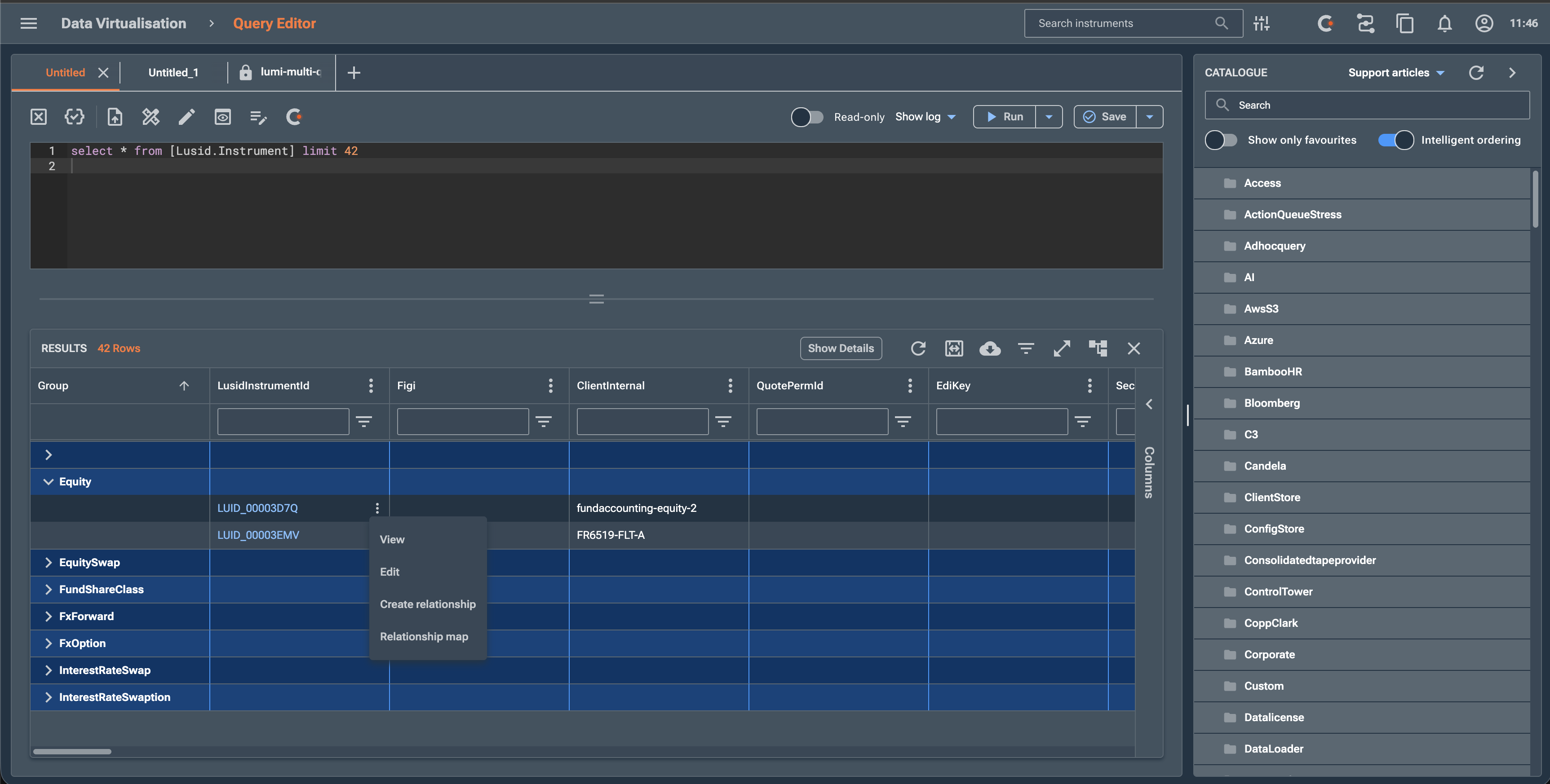
What you can do with the Query Editor
Write SQL with autocomplete for every provider, field and function you can use, and see mistakes underlined as you type.
Find providers and views in the Catalogue, with each one's fields, descriptions and documentation.
Run whole queries or just the part you've highlighted, follow their progress, and work on several in tabs at once.
Run several named queries together as a query set, each reading the results of the ones above it.
Format, colour, filter, group and total the results, then save all of it with the query.
Follow links in the results straight to instruments, portfolios, files and more in LUSID.
See where a value in your results came from.
Save queries to your own or a shared workspace, and find any query you've run before.
Build queries, views and writes by pointing and clicking with the designers, and ask Candela, FINBOURNE's AI agent, to help write or fix a query.
Where to start
Getting started with the Luminesce Query Editor. Run, explore, format, save and export your first query in about fifteen minutes.
Understanding the Query Editor workspace. Find your way around the screen.
A tour of the Luminesce Query Editor. See its main features, one screen at a time.
How do I find providers and fields in the catalogue? Find what you can query.
How do I run a query and follow its progress? Run your first query.
How do I format results? and How do I filter, group and total results? Make the results easy to read.
How do I save, open and share queries? Keep the query, and share it with your team.
To see what has changed recently, read What's new in the Luminesce Query Editor.
Before you start
Your LUSID domain needs a licence for Luminesce, and you need permission to use the providers you want to query. If you can't see the Data Virtualisation menu, or a provider you expect isn't in the Catalogue, ask your LUSID administrator.
The Query Editor or LumiCode?
Both run the same Luminesce SQL against the same providers, and both share your Saved Queries and query sets. Use the Query Editor when you want to work in your browser, with a full results grid, the designers and dashboards. Use LumiCode when you'd rather stay at the keyboard in a terminal. See What tools are available to write Luminesce queries?